
Originally published in 2022. Updated in May 2026.
Years ago (but not in a galaxy far away), Yoast SEO became one of the most popular WordPress plugins because it made SEO feel simple. Add a keyword, get a green light, and your page was “optimized.” Back then, SEO itself was simpler too.
Today, SEO is much more complex than keyword density and traffic light scores. Search engines and AI search tools now look at content quality, expertise, user experience, authority, internal linking, structured data, and overall trustworthiness.
So does Yoast SEO still matter? Yes, just not in the same way. If you are learning how to use Yoast SEO for the first time, here I walk you through what the plugin still does well, what has changed, and how beginners can use it to improve their WordPress websites.
What Yoast SEO Used to Be
When Yoast first became popular, it gave WordPress users a checklist approach to SEO.
You would:
- choose a focus keyword
- add the keyword throughout the page
- adjust headings
- improve readability
- aim for green optimization scores
For many beginners, it was the first time SEO felt approachable. It worked reasonably well at the time because Google relied much more heavily on direct keyword signals than it does today.
Alas, technology moves fast and SEO evolved. Google became better at understanding context, intent, content quality, and user behavior. AI powered search systems now evaluate websites differently as well. That means the best possible SEO now requires much more than plugin settings alone.
What SEO Looks Like Today
These days, strong SEO is about creating genuinely useful, trustworthy content and making your website technically clear for search engines and AI systems.
Modern SEO includes things like:
- content quality
- topical authority
- internal linking
- page speed
- mobile experience
- structured data
- user experience
- brand credibility
- content organization
- AI discoverability
Yes, Yoast SEO is still useful, but it is no longer the entire strategy.
Is Yoast SEO Still Worth Using?
I would say yes, especially for beginners using WordPress. Yoast still helps simplify many important technical SEO tasks that most website owners would otherwise need to configure manually. For beginners, Yoast remains one of the easiest ways to improve a WordPress site’s SEO foundation without touching code.
It can help you:
- create SEO titles and meta descriptions
- generate XML sitemaps
- control indexing settings
- add schema markup
- improve internal linking
- manage canonical URLs
- preview social sharing content
- organize breadcrumbs
Those things still matter. The difference is that they are now part of a larger SEO picture.
What Yoast SEO Still Does Well
SEO Titles and Meta Descriptions
Yoast makes it easy to customize how your pages appear in search results.
You can create:
- custom page titles
- meta descriptions
- social sharing previews
This helps improve click through rate and gives search engines clearer context about your content.
XML Sitemaps
Yoast automatically generates XML sitemaps for your website. These help search engines discover and crawl your content more efficiently. Most beginners never need to manually touch sitemap files because Yoast handles this automatically (and this truly is a helpful feature).
Schema Markup
Schema helps search engines better understand your content. Yoast automatically adds structured data to pages, posts, articles, and other WordPress content types. This is especially important as AI search and answer engines continue to grow.
Canonical URLs
Canonical tags help prevent duplicate content issues by telling search engines which version of a page should be considered the primary version. Again, Yoast handles this automatically for most WordPress users.
The Biggest Mistake Beginners Make With Yoast SEO
The biggest mistake is thinking a green score guarantees rankings. It does not.
You can have a perfectly green Yoast score and still struggle to rank if:
- the content is weak
- competitors are stronger
- the site lacks authority
- the page does not match search intent
- the user experience is poor
- the content is outdated
It important to understand early that Yoast is a tool. Not a shortcut.
How to Use Yoast SEO as a Beginner
If you are new to WordPress SEO, here is a simple and realistic way to use the traffic light system that is Yoast.
1. Choose One Primary Keyword
Each page should focus on one main topic or keyword. Don’t try to rank one page for dozens of unrelated topics. Keep the page focused.
For example:
- how to use yoast seo
- beginner wordpress seo
- yoast seo tutorial
- wordpress seo plugin
2. Write Helpful Content First
Write for real people who want to learn about your topic. Answer questions clearly. Organize your content well. Use headings naturally. Explain concepts simply. The better your content actually can help users, the more valuable it becomes to search engines.
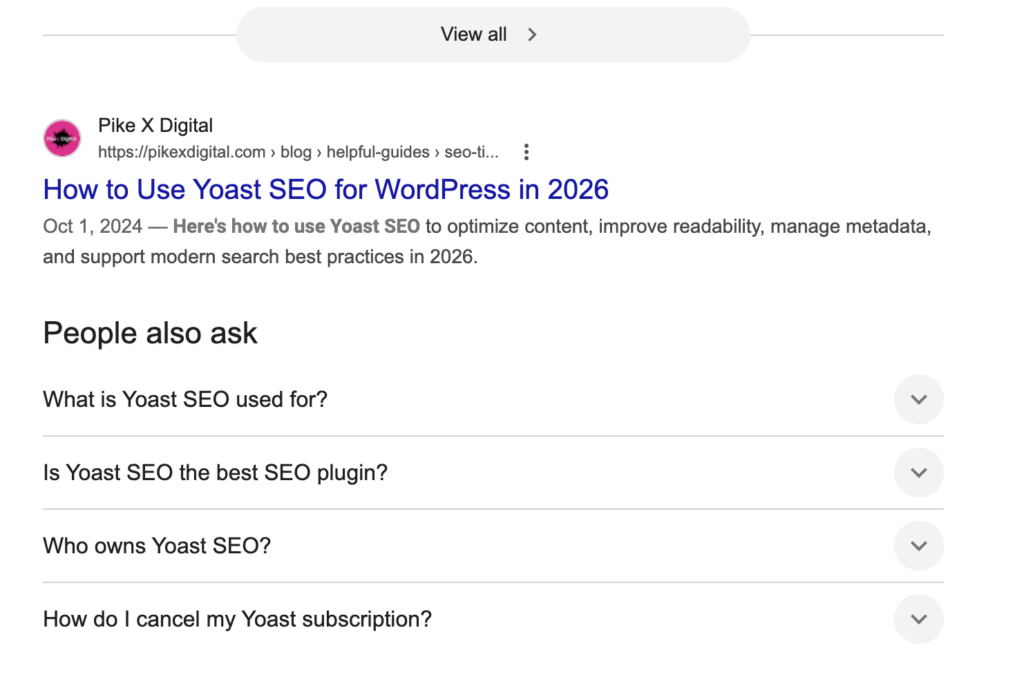
3. Customize Your SEO Title
Your SEO title (also known as a meta title) can be different than the title on the website. Simple works better than overly clever. You can always be more creative for title that is visible on the website. Meanwhile, the SEO title should describe the page clearly, include your primary keyword naturally, and encourage clicks.
4. Add a Meta Description
Your meta description should summarize the page in a natural, readable way.
Example:
Here’s how to use Yoast SEO to optimize content, improve readability, manage metadata, and support modern search best practices in 2026.
5. Use Headings Properly
Organize content with:
- H1 for the main title
- H2s for major sections
- H3s for subsections
This improves readability for both users and search engines.
6. Add Internal Links
This one is actually very important. Link to related pages and articles throughout your website. Internal linking makes your content easier to navigate. It shows search engines how topics connect across your site and distributes authority throughout your pages. It is one of the most overlooked parts of SEO and probably the thing that pushes you furthest beyond the beginner level.
7. Optimize Images
To best optimize images for your website, add descriptive alt text to images and keep file sizes reasonable. Fast loading pages improve user experience. Alt tags get your images found on the image page of a topic search…fast.
8. Stop Chasing Perfect Green Scores
Even though it feels counter-intuitive (for me also) some orange bullets are fine. Experienced SEO professionals ignore portions of the Yoast recommendations, such as the keyword repetition, entirely. Modern SEO is more nuanced than a checklist. Use the suggestions as guidance, not strict rules.
What Happens Outside the Plugin (Stays outside the plugin…)
This is where real SEO strategy comes into play. Yoast helps with technical setup, but long term visibility often depends on things the plugin cannot do for you.
That includes:
- keyword strategy
- content planning
- topical authority
- conversion optimization
- website performance
- user experience
- content clusters
- backlink quality
- competitive analysis
- AI search visibility
- brand trust
When to Work With an SEO Professional
Yoast can definitely help beginners improve a WordPress website on their own. As industries become more competitive however, many businesses eventually need a broader SEO strategy that goes beyond plugin settings.
An SEO professional can help with:
- technical audits
- keyword research
- content architecture
- internal linking strategy
- AI search optimization
- conversion focused SEO
- local SEO
- performance improvements
- long term growth planning
For many businesses, the best approach is a combination of both using tools like Yoast for the technical foundation while working with professionals on the larger strategy.